What Is a Digital Planner? Everything You Need to Know Before You Start
Curious about digital planning but not quite sure how it works? Here’s the simple beginner-friendly guide to planners, apps, hyperlinks, handwriting, typing, and what you actually need to begin.

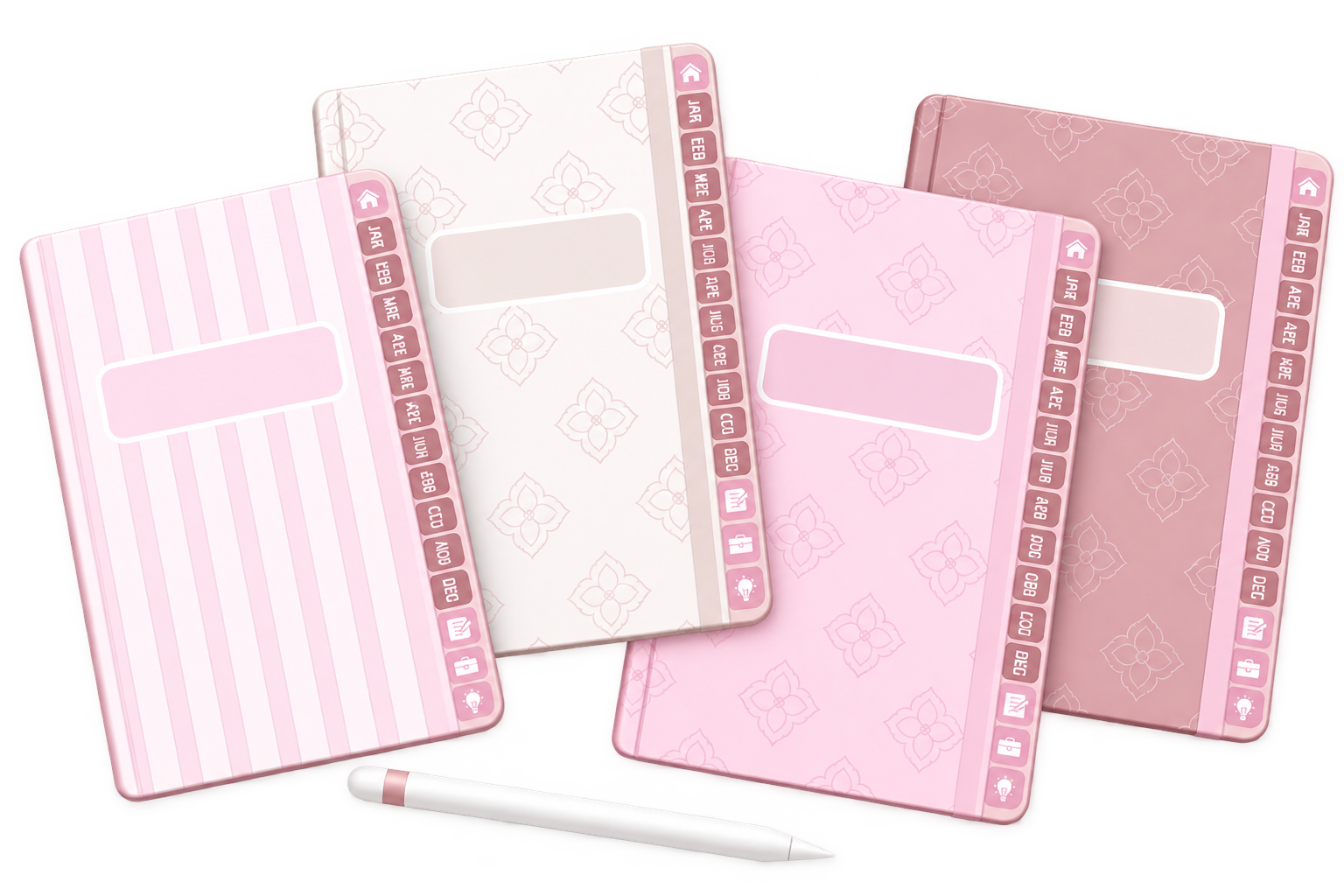
A digital planner is a planner you use electronically, usually on a tablet or iPad. Many digital planners are interactive PDF files that you import into a compatible note-taking or PDF annotation app, where you can write, type, highlight, add images, and navigate between pages.
If you’ve seen beautifully organized digital planners on TikTok, Pinterest, or Instagram, you might be wondering what you actually receive when you buy one.
Is it an app? Is it a PDF? Do you need Goodnotes? Do you need an Apple Pencil? And what exactly happens after you download it?
This guide walks through the basics so you can decide whether digital planning makes sense for you.
So, What Exactly Is a Digital Planner?
A digital planner is an electronic version of a planner that you use on a device instead of on paper.
It can contain familiar pages such as monthly calendars, weekly layouts, daily pages, habit trackers, goal pages, finance pages, routines, notes, and more.
The difference is that instead of physically writing on paper, you interact with those pages through your device.
Paper planning
Write, erase, turn pages, add notes and physically carry your planner.
Digital planning
Write or type, erase, move content, duplicate pages and navigate digitally.
PLAN · EDIT · MOVE · REPEAT
How Does a Digital Planner Work?
Most digital planners are designed to be opened inside a compatible note-taking or PDF annotation app.
You get the planner file
After purchasing or downloading a planner, you receive the digital file.
Open it in a compatible app
Import the planner into the app you want to use for planning.
Start planning
Write, type, highlight, add images or organize your pages.
Navigate between pages
Hyperlinked planners let you jump between sections without scrolling through every page.
Good to know: the planner file and the app you use to write on it are usually separate products.
What Do You Actually Need for Digital Planning?
You don’t need a huge collection of accessories to begin. Your exact setup depends on the planner and app you choose.
01 · Device
A compatible tablet, iPad, computer, or other supported device.
02 · Planner
A digital planner file designed for your preferred planning setup.
03 · App
A compatible note-taking or PDF annotation app.
04 · Stylus
Optional, but useful if you want to handwrite directly on your planner.
Is a Digital Planner an App?
Not necessarily.
This is one of the most common points of confusion for beginners. Many digital planners are files that you open inside another app.
The planner
Contains the design, layouts, sections, pages and, when included, hyperlinks.
The app
Gives you the tools to write, type, highlight, erase, add images and interact with the planner.
Goodnotes is one example of an app that can be used with compatible digital planner files, but it is not the only possible option.
What Is a Hyperlinked Digital Planner?
Hyperlinks are one of the features that can make digital planning feel especially convenient.
Think of them like physical tabs in a paper planner. Instead of flipping through dozens of pages, you can tap a linked tab or button and jump directly to another section.
For example, you might tap a month, a weekly section, a notes tab, or a home button.
If hyperlinks don’t seem to work, check which interaction mode your app is using. Some apps use different modes for writing and following PDF links.
TAP · JUMP · KEEP PLANNING
Do You Have to Handwrite in a Digital Planner?
No—and this is one of the reasons digital planning can be so flexible.
Depending on the app you use, you may be able to handwrite, type, or combine both.
Love handwriting?
Use a compatible stylus and keep the feeling of writing by hand.
Prefer clean text?
Type your plans and use fonts for a cleaner, more consistent look.
Your planner doesn’t have to look like anyone else’s.
WRITE IT · PLAN IT · CHECK IT OFF
Do You Need an Apple Pencil for a Digital Planner?
Not necessarily.
If you want the experience of handwriting directly on your iPad, a compatible stylus can make digital planning feel much more natural.
But if you mainly type, use checkboxes, insert images, or organize existing content, a stylus may not be essential for your workflow.
- Choose a stylus if handwriting is important to you.
- Check compatibility with your specific device.
- Don’t feel like you need every accessory before you begin.
Dated or Undated Digital Planner?
Both can work well. The better option depends on how you like to plan.
Dated planner
Dates are already prepared for you, which can make getting started quick and convenient.
Undated planner
Lets you start when you want and gives you more flexibility if you skip periods or want to reuse the original planner file.
Insperates digital planners are undated, so you can start when it makes sense for you. Keeping your original file also allows you to create a fresh copy for future planning periods.
START ANY TIME · PLAN YOUR WAY
What Can You Put in a Digital Planner?
A digital planner can be very simple or incredibly detailed.
Some people only want a weekly schedule. Others prefer to keep multiple areas of life together.
Daily
Tasks, schedules and priorities.
Weekly
Your week at a glance.
Monthly
Events and bigger-picture planning.
Habits
Track routines and consistency.
Goals
Break larger goals into steps.
Finances
Income, expenses and budgeting.
Wellness
Personal routines and wellness planning.
Notes
Keep ideas and information together.
More pages do not automatically make a planner better. The best planner is one that gives you the pages you will actually use.
EVERYTHING · IN ONE PLACE
Is Digital Planning Right for You?
Digital planning may be a great fit if your tablet is already part of your everyday life and you like the idea of keeping your plans there too.
- You already use an iPad or tablet regularly.
- Your plans change often.
- You like being able to edit and rearrange things.
- You want multiple planning sections together.
- You enjoy handwriting, typing, or mixing both.
- You want your planner on a device you already carry.
Which planning style sounds most like you?
Choose the answer that feels closest to your everyday life.
How to Start Digital Planning Without Overcomplicating It
You do not need to learn every feature before you start. A simple setup is usually easier.
Choose your planner
Look for pages and sections that match the way you actually plan.
Choose a compatible app
Make sure the planner format works with the app and device you want to use.
Import your planner
Open or import the planner file into your chosen app.
Plan one real day
Instead of decorating everything first, use the planner for something you actually need today.
Learn as you use it
Add new tools, stickers, fonts and techniques only when they are useful to you.
Beginner reminder: don’t judge your first digital planning page by how aesthetic it looks. Start by making it useful. Your style can grow naturally from there.
Digital Planning Questions, Answered
What is a digital planner?
A digital planner is an electronic planner used on a compatible device. Many are interactive PDF files that can be opened inside note-taking or PDF annotation apps.
Is a digital planner the same as an app?
Not always. A digital planner is often the planner file itself, while the app provides the tools you use to write, type, highlight and interact with it.
Do I need an iPad to use a digital planner?
Not necessarily. Compatibility depends on the planner format and the app you plan to use, so always check the product requirements first.
Do I need an Apple Pencil?
No. A compatible stylus is helpful for handwriting, but people who mainly type may not need one.
Can I type in a digital planner?
In many compatible apps, yes. You can often add text boxes and use fonts instead of handwriting.
What is a hyperlinked digital planner?
It is a planner containing clickable links that can take you directly to specific pages or sections.
Can I reuse a digital planner?
That depends on the planner. Undated planners can be especially flexible because they are not tied to a specific calendar year. Keeping the original file can allow you to create a fresh copy for another planning period.
Is a dated or undated digital planner better?
Neither is automatically better. Dated planners are convenient when you want dates already prepared, while undated planners offer more flexibility around when you start.
Will a digital planner send me reminders?
A PDF planner itself generally does not function like a calendar reminder app. You can use your device’s calendar or reminder tools alongside your planner when you need notifications.
Is digital planning difficult for beginners?
There can be a short learning period, especially if you are new to note-taking apps, but you can start with basic writing, typing and page navigation before learning more advanced tools.
Your Digital Planner Doesn’t Need to Be Perfect
Digital planning is simply another way to organize your days. You can keep it minimal, decorate every page, handwrite everything, type everything, or create a system somewhere in between.
Your planner should fit your life—not the other way around.