
The Insperates Journal · Planning in 2026
Benefits of Digital Planning: 9 Reasons to Use an iPad Planner
Familiar handwriting. Flexible pages. A planning space you can reuse, personalize, and keep coming back to.
Discover the benefits ↓
Your meeting moves. Your to-do list grows. That “quick task” takes an entire afternoon.
Life rarely follows the first version of your plan.
On paper, those changes can become crossed-out notes, arrows, and a page you’re tempted to rewrite. On your iPad, you can move things around and keep going.
It’s 2026. Technology keeps moving forward, and our everyday tools can move with it.
Digital planning gives us a way to use less paper, keep useful information together, and reuse layouts we love. An undated planner also lets us choose when to start—without buying another dated planner every January.
A more flexible planning space can be a small, practical upgrade to everyday life.
Keep the Joy of Handwriting—with More Flexibility
There’s something satisfying about writing a thought down. You circle a date, underline a sentence, or draw an arrow between two ideas.
An iPad and a compatible stylus let you keep those familiar movements while working on a page you can edit.
There’s an interesting connection to how we think, too. A study published in Frontiers in Psychology found more widespread brain connectivity when participants wrote with a digital pen than when they typed under the study’s experimental conditions.
The study did not directly measure improved memory, so it doesn’t prove that handwriting on an iPad makes you remember more.
But you can use handwriting as an active part of thinking: summarize an idea in your own words, sketch a connection, or write a question beside something you want to understand.
Your digital page can be a place to think, rather than simply a place to store information.
An Undated Planner Can Save You Another January Purchase
New year. New planner. Another purchase.
An undated digital planner offers a different possibility: keep using a layout you already love.
Because you add the dates yourself, you can begin in January, September, or next Tuesday. And if you take a break, you can return without months of expired daily pages waiting for you.
Start whenever you want
Your first planning day doesn’t have to match the first day of the year.
Keep a layout you love
Where your app and purchase terms allow it, create a clean copy for a fresh planning period.
The same idea applies to reusable digital notebooks. You can keep a space for new projects without buying another physical notebook every time you need more pages.
Many digital planners and notebooks are available at accessible prices. If you already own a compatible device and app, repeated use can make an undated product especially good value.
Your actual savings depend on the product price, any app fees, and what you would otherwise buy. Check the purchase terms: undated pages don’t automatically promise free updates or lifetime support.
Find Your Page Without the Notebook Treasure Hunt
You know you wrote it down. Somewhere.
Was it beside last week’s schedule? Between two shopping lists? On the page with the tiny star in the corner?
A hyperlinked digital planner makes getting around easier. Clickable tabs can take you straight to a linked month, week, or section—often with a single tap.
Less page-flipping. More time using what you wrote.
Keyword search can help you find a specific entry, too. If your app supports searching typed text or recognizing handwriting, try a word such as “appointment,” “budget,” or a project name.
Handwriting search depends on your app, supported language, and recognition accuracy.

Change Your Mind Without Rewriting the Whole Page
A plan is a first draft of your day. Sometimes it needs editing.
Depending on your app, you can move an entry, erase handwriting, delete a text box, or resize a note that no longer fits.
You can also use Undo to reverse a recent edit while it remains in the app’s undo history.
Accidentally moved the wrong item? You may be able to bring it back with a tap.
Undo isn’t a backup or a guarantee that a deleted document can be recovered. But for everyday editing, it gives you a useful safety net.
Try a layout. Rearrange your priorities. Change a heading.
Beautiful Pages Don’t Require Beautiful Handwriting
Love the look of a neat planner, but don’t love your own handwriting? You have options.
Text boxes let you type entries and choose a font that suits your style. A handwriting-style font can add personality, while a clean font can keep a busy schedule easy to read.
You might type appointments, handwrite reflections, and use a different color for your top priorities.
Some tools also convert handwritten input into typed text. Apple’s Scribble, for example, turns Apple Pencil handwriting into text in supported text fields. Recognition may occasionally need correcting.
That can save you from retyping something you’ve already written.
The goal is a page you enjoy opening and can understand at a glance.
Give Your Ideas More Space While Using Less Paper
A draft list. A revised schedule. A habit tracker you want to try again.
On paper, each fresh attempt may need another sheet. Digital planning lets you reuse a page or duplicate a layout without printing it.
You can clear practice notes, create another project page, or test a new routine without adding discarded drafts to the bin.
We care about trees and the resources behind the products we use. Choosing to print less is one practical way to act on that.
Digital devices still have environmental costs, including production and electricity. Using an iPad isn’t automatically impact-free.
But if you already own one, using it for planning can reduce the paper you consume.
Your ideas can keep growing without every draft becoming another sheet of paper.

Let Your Notes Lead to Something Useful
A notebook can hold a brilliant idea. The next challenge is doing something with it.
In 2026, we have more ways to work with digital information—from AI-assisted drafts to calendars that remind us when it’s time to act.
You might copy selected text into ChatGPT and ask for a draft summary. After reviewing it, turn the useful points into a checklist.
Then add the time-sensitive commitments to Apple Calendar or Google Calendar, while keeping the detailed context in your planner.
This can be a manual process. A standard PDF planner doesn’t automatically connect to AI or calendar apps; integrations depend on your setup.
Check AI-generated summaries for errors and choose what you share thoughtfully.
The exciting part is giving a good idea a clear next action.
Keep Your Past Ideas Within Reach
Some notes are useful long after the day you write them.
A project outline. A personal reflection. A list of things you learned during a difficult month.
Keeping your digital notebooks organized and backed up can help you return to those pages later.
You might notice a goal you’ve quietly made progress on. Find an idea that finally feels ready. Reuse a checklist that saved you time before.
Keep Everything Together—and Let Your System Grow
A work list in one notebook. A budget in another. A personal goal on a loose sheet.
We love having a familiar place to bring those parts of life together.
An all-in-one digital planner can give your schedule, routines, finances, goals, habits, and notes their own sections in a shared space.
That can help you notice connections. A busy work week might need easier meals. A savings goal might change your plans for the month. A new project might need room in both your schedule and your notes.
And you can change what you focus on. Use a detailed daily page during a busy period, then a simple weekly overview when that’s enough.
You don’t have to use every section. You can use the ones that support your life now.
A planning system becomes more useful when you can adapt it and keep coming back.

A useful shortcut is still useful
Work Smarter Without Making Planning Another Job
Keep a packing list for future trips. Reuse your weekly reset checklist. Save a project layout that works.
Finding a faster way to handle repetitive tasks gives you more time for the decisions that need your attention.
You don’t need to prove your commitment by rewriting the same list.
Keep a simple order:
- Add your commitments.
- Choose your priorities.
- Write the next steps.
- Decorate if you feel like it.
Your planner can be beautiful and still be quick to use.
Your five-minute starting point
Try One Page for Tomorrow
Open a daily page and add three things you want to do tomorrow.
Make it yours
Write one entry by hand. Type another. Highlight the most important one.
Try a small change
Move a task to a different place. Notice how easily you can revise the page.
You’ve just tried the experience that makes digital planning appealing: familiar writing, flexible editing, and a page you can shape around your day.
No perfect handwriting required. No need to fill every box.
Just a useful starting point.
A few things worth knowing
Frequently Asked Questions
What Are the Main Benefits of Digital Planning?
Digital planning offers flexible editing, reusable layouts, and ways to keep your schedule and notes together. Hyperlinks can make navigation easier, while search features depend on your app.
Can an Undated Digital Planner Be Used Every Year?
An undated planner lets you enter your own dates, so its layouts can be used across different years. How you duplicate or reset it depends on your app, and you should check the product’s purchase terms.
Can Digital Planning Save Me Money?
Reusing an undated planner or digital notebook can reduce repeat purchases of paper products. The overall savings depend on your device, app fees, product price, and how often you reuse it.
Do I Need Good Handwriting to Use an iPad Planner?
No. If your app supports text boxes, you can type your entries. You can also combine typed text with handwriting, highlighting, and images.
Does a Digital Planner Automatically Sync With My Calendar?
A standard PDF planner usually doesn’t. Calendar connections depend on the app, planner features, or additional setup. You can also add reminders to a calendar manually.
Does Digital Planning Help Reduce Paper Use?
Yes, replacing printed planning pages with reusable digital pages can reduce the paper used for those activities. Devices still have environmental costs, so the overall impact depends on how they’re produced and used.
Is Digital Planning Better Than Paper Planning?
It depends on what you enjoy and need. Paper offers a physical writing experience without notifications or battery concerns. Digital planning offers flexible editing and reusable pages. You can use either—or combine both.
Give Your Plans Room to Grow
It’s 2026, and we have more ways than ever to make everyday organization feel simpler.
A digital planner gives you a familiar space you can edit, personalize, and reuse. You can use fewer paper pages and bring different parts of your life together.
With an undated planner, your fresh start doesn’t depend on a new year. You choose when to begin.
A thoughtful purchase can become a planning space you return to again and again.
Start whenever you’re ready
Your Plans Deserve a Space You Love
Discover Insperates digital planners and find a space for your schedule, routines, goals, and everyday notes.
Looking for flexibility beyond one calendar year? Explore an undated option you can begin using whenever it suits you.
Explore digital planners →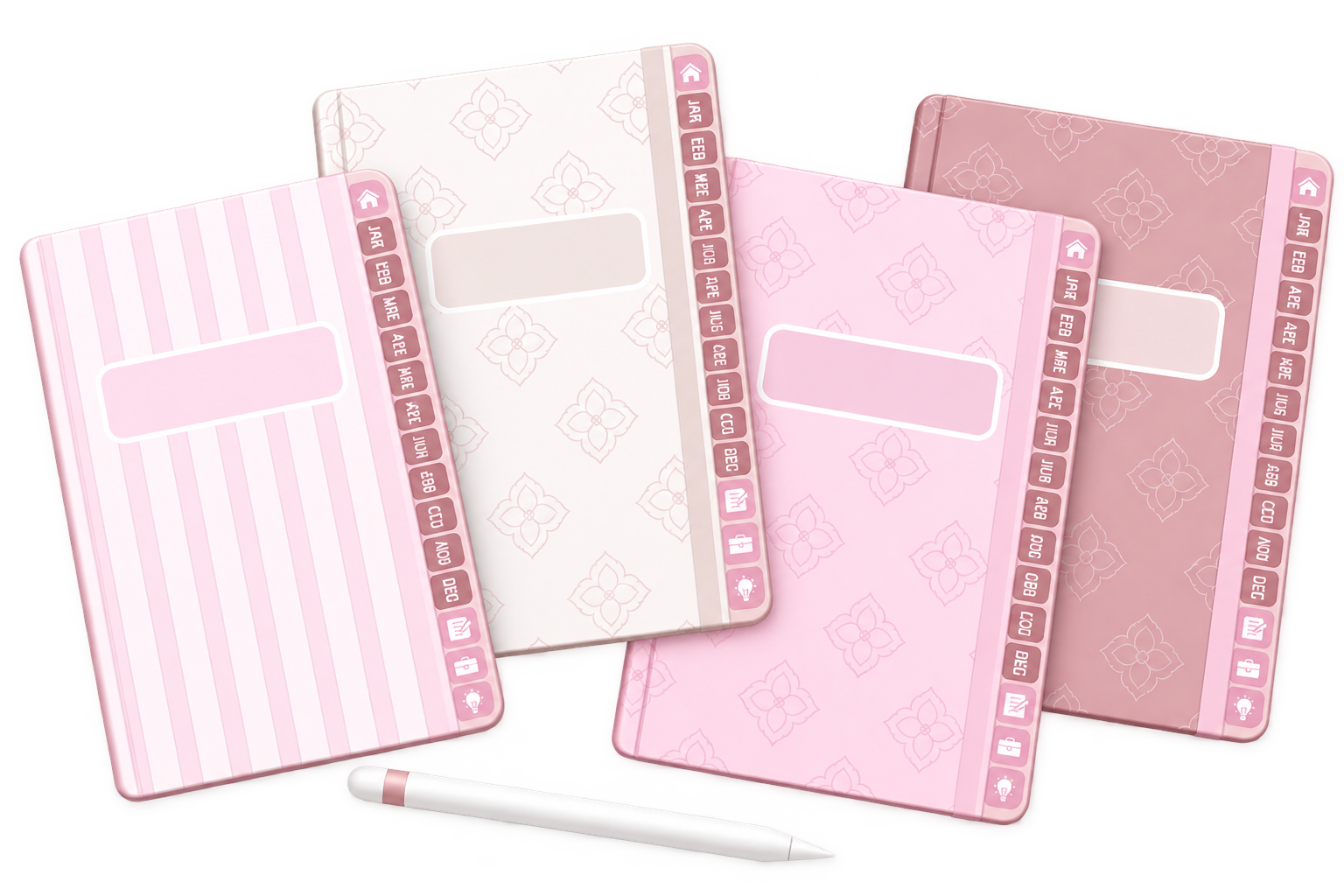
One Response