The Insperates Journal
Digital Planner vs. Paper Planner: Which Is Right for You?
The fresh-page feeling. The freedom to change your mind. Let’s find the planning format that fits your real life.
Find your planning style ↓
There’s something lovely about opening a new paper planner. Clean pages. A favorite pen. That little feeling that this could be the start of a more organized life.
Then Tuesday happens. An appointment moves. A task needs another day. Your carefully written schedule suddenly has arrows, crossed-out lines, and a sticky note covering the corner.
A digital planner lets you change the page along with your plans. But it also means opening an app, learning a few tools, and keeping your device charged.
So, in the digital planner vs. paper planner debate, which one should you choose?
The best choice is the format you can comfortably return to on an ordinary, busy day. Let’s compare the things that actually matter: flexibility, cost, focus, navigation, and how each format feels to use.
First, What Do We Mean by a Digital Planner?
Here, we’re comparing a physical paper planner with a PDF digital planner used in a compatible annotation app, often on an iPad.
A PDF planner gives you designed pages for calendars, tasks, notes, and other parts of your life. The app provides tools for handwriting, text boxes, highlighting, images, and editing.
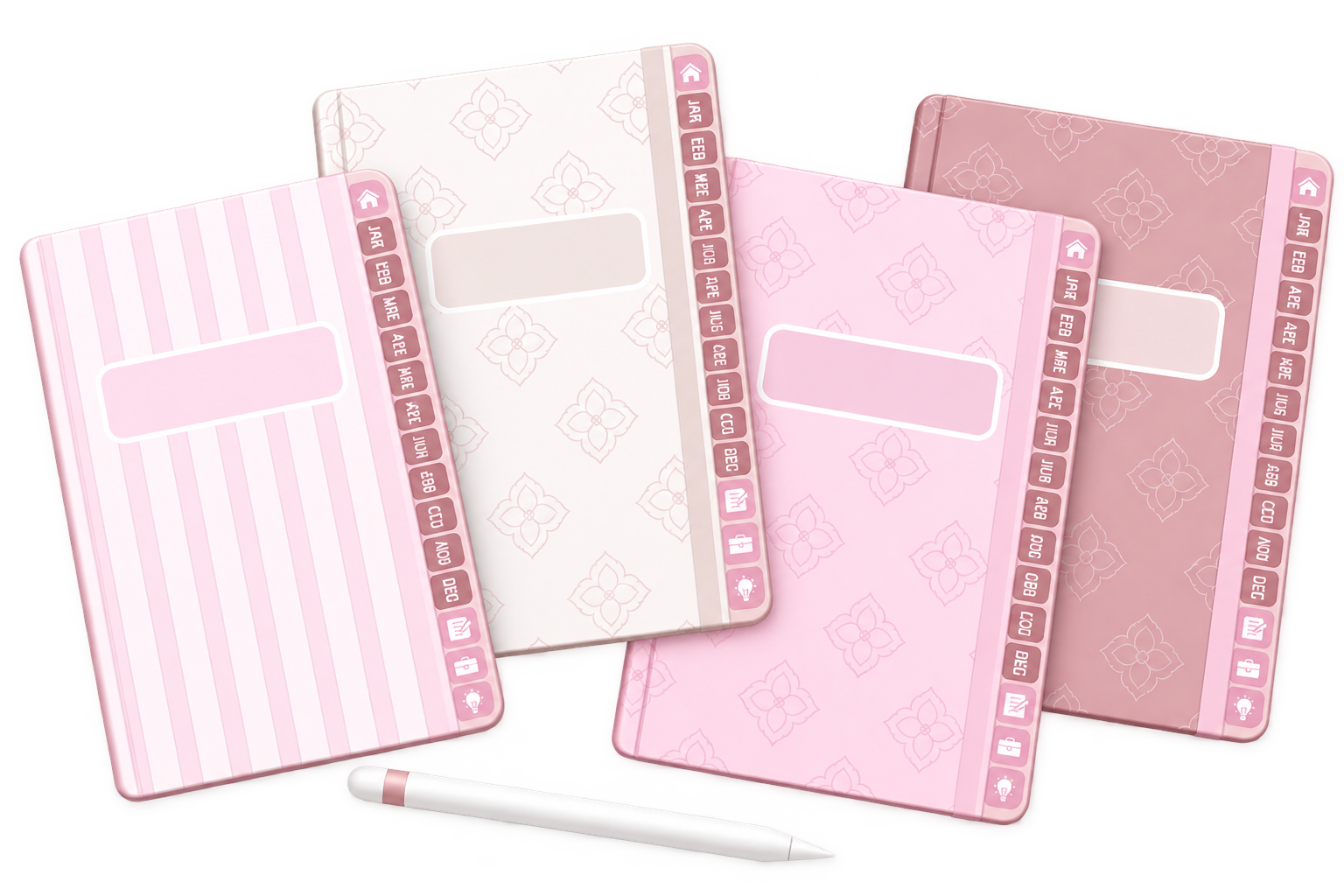
A hyperlinked planner also has clickable tabs or buttons that take you to specific pages. It can feel familiar if you enjoy a notebook layout, with the extra flexibility of digital tools.
Digital vs. Paper: The Side-by-Side View
Here’s the practical comparison before we get into the little everyday details.
| Your priority | Paper planner | PDF digital planner |
|---|---|---|
| Getting started | Open it and write. | Import the file and learn your app’s basic tools. |
| Erasing & correcting | With pen, you usually cross out mistakes, rewrite the entry, or replace the page. Pencil can be erased. | Erase or undo without wasting a page. In supported text fields, Scribble lets you scratch out text to delete it. |
| Navigation | Use tabs, bookmarks, and page turning. | Use clickable links, thumbnails, or app search. |
| Pages & ongoing costs | A bound planner has a limited number of pages. When it is full, you need to buy another planner or more refills. | Duplicate pages in a compatible app or reuse an undated planner according to its instructions and license. App fees and hardware costs are separate. |
| Handwriting & fonts | Entries are usually handwritten, even when your writing looks uneven or messy. | Choose a font for typed entries, or use handwriting conversion or cleanup tools where your app supports them. |
| Focus | A screen-free planning space. | Convenient on your device; notifications may distract. |
| Everything in one place & backup | You may use separate planners or notebooks for different parts of life and carry several books. Scan important pages to keep a digital copy. | Some digital planners bring schedules, finances, habits, goals, and notes together on one iPad or tablet. Use your app’s backup or export options to keep a separate copy of your plans. |
Getting started
Paper planner
Open it and write.
PDF digital planner
Import the file and learn your app’s basic tools.
Erasing & correcting
Paper planner
With pen, you usually cross out mistakes, rewrite the entry, or replace the page. Pencil can be erased.
PDF digital planner
Erase or undo without wasting a page. In supported text fields, Scribble lets you scratch out text to delete it.
Navigation
Paper planner
Use tabs, bookmarks, and page turning.
PDF digital planner
Use clickable links, thumbnails, or app search.
Pages & ongoing costs
Paper planner
A bound planner has a limited number of pages. When it is full, you need to buy another planner or more refills.
PDF digital planner
Duplicate pages in a compatible app or reuse an undated planner according to its instructions and license. App fees and hardware costs are separate.
Handwriting & fonts
Paper planner
Entries are usually handwritten, even when your writing looks uneven or messy.
PDF digital planner
Choose a font for typed entries, or use handwriting conversion or cleanup tools where your app supports them.
Focus
Paper planner
A screen-free planning space.
PDF digital planner
Convenient on your device; notifications may distract.
Everything in one place & backup
Paper planner
You may use separate planners or notebooks for different parts of life and carry several books. Scan important pages to keep a digital copy.
PDF digital planner
Some digital planners bring schedules, finances, habits, goals, and notes together on one iPad or tablet. Use your app’s backup or export options to keep a separate copy of your plans.
There’s no need to win every category. Focus on the two or three differences that affect your day most.
When Tuesday Stops Looking Like Tuesday
You planned a work session at 10 AM, an appointment at 2 PM, and errands afterward. Then the appointment moves, an urgent task appears, and the errands have to wait.
On paper
You can erase pencil, cross out pen, or rewrite the plan. A refillable planner gives you more flexibility, but the original page may still show the changes.
In a digital planner
You may be able to move a text box or select handwriting with a lasso tool, then place it elsewhere. The exact options depend on your app.
This is where digital planning can feel especially helpful: you can update your plans without rewriting every surrounding detail.
You can also keep a reusable packing list, a project checklist, or a weekly routine and copy it when needed. Your page becomes something you can work with as life changes.
See the everyday difference
One Day. Two Planners. A Change of Plans.
Want to see the comparison in action? Watch the TikTok video below for a visual look at the differences, then continue the guide to find your fit.
What Does Each Planner Really Cost?
Price is one of the biggest differences between paper and digital planning—but the cheapest option depends on what you already own and how often you replace your planner.
Paper planner
About $10–$40+Prices vary by brand, size, binding, materials, and number of pages. Premium planners can cost considerably more.
Digital planner
About $3–$20+Many digital planners fall within this range, while larger hyperlinked planners, customizable systems, and bundles can reach $20–$50 or more.
Paper Planner Costs
A typical paper planner can cost around $10–$40 or more, depending on the brand, size, binding, materials, and number of pages. Premium planners can cost even more.
And because many paper planners are dated for a specific year, buying a new planner can become a recurring yearly expense.
Refills, pens, stickers, covers, and other accessories can also add to the total, although those extras are completely optional.
Digital Planner Costs
Digital planner pricing varies widely. Simple PDF planners can cost only a few dollars, while detailed hyperlinked planners, customizable planners, and large bundles can reach $20–$50 or more.
Many digital planners currently available online sit somewhere around the $3–$20 range, although marketplace discounts and sales can make advertised prices much lower.
There is also an important difference in how you use them. A digital planner does not physically run out of pages the way a bound planner does.
Depending on the planner and its license, pages can often be duplicated and an undated planner can be reused for future planning periods.
Dated or Undated? It Comes Down to Convenience
This is one area where there isn't a universal winner.
Some people love opening a dated planner and finding the year, months, and dates already prepared for them. There is almost nothing to set up—you can simply start planning.
Others prefer an undated planner because it gives them more freedom to personalize their setup.
You can begin in January, June, or in the middle of a random Tuesday in October without feeling like months of your planner have already gone to waste.
At Insperates, we chose the undated approach for maximum flexibility and long-term use. Your planner isn't tied to a particular year, so you can personalize the dates and continue using the same planning system again and again.
Neither approach is automatically better. It comes down to what feels most convenient for you.
If you love having every date prepared in advance, a dated planner may feel easier. If you prefer customization, flexibility, and the freedom to start whenever you want, an undated planner may be the better fit.
Don't Forget the Device
If you already own a compatible iPad or tablet, a digital planner can be a relatively small addition to your existing setup.
If you would need to purchase a tablet and stylus specifically for planning, however, those costs should absolutely be part of the comparison.
You should also consider the cost of the annotation app you choose to use. The planner file, device, stylus, and app are separate products.

Where Did I Write That Idea?
A project idea. A shopping list. The name of something you wanted to try. You know you wrote it down somewhere.
With paper, tabs and a simple index can help you find it. But searching across several notebooks may still mean turning quite a few pages.
In a hyperlinked digital planner, tabs can take you straight to a linked month or section. That’s especially useful when your planner holds schedules, finances, routines, and notes in one file.
Search is another layer. If your app supports it, a keyword may help you find typed text or recognized handwriting. Handwriting recognition, supported languages, and which content can be searched vary by app.
Organized sections still matter. Give your notes useful headings, keep related ideas together, and make the planner easier for your future self to navigate.
The Writing Experience—and the Distractions Around It
Some people love the feel of pen on paper. The texture, the sound, the way a notebook lies open beside them. That enjoyment is a perfectly good reason to keep a paper planner.
Writing with a stylus on an iPad can bring a familiar handwritten rhythm to digital planning, although glass feels different from paper. If you prefer typing, text boxes can keep entries clear and consistent.
You can also mix both: type appointments, handwrite reflections, and highlight a priority. You don’t need beautiful handwriting to create a readable page.
Which One Helps You Focus?
A paper planner offers a space without app notifications. An iPad puts your planner close to other tools you use, but messages and tempting apps can interrupt you.
If you choose digital, try a Focus mode, silence unnecessary notifications, and keep your planning session short. If you choose paper, leave your planner somewhere you’ll notice it.

Less Paper, More Room for Your Plans
It’s 2026, and digital tools give us more ways to organize without printing every list or purchasing another notebook.
A digital page can be edited, cleared, or duplicated in a compatible app without using another sheet of paper. You can keep several planning sections together on one device instead of carrying a stack of notebooks.
For someone already using a tablet, moving some planning onto it can reduce paper use. That’s a practical step toward using fewer pages and creating less paper waste.
The whole environmental picture also includes manufacturing devices, electricity, and how long we keep using our hardware. Digital planning isn’t impact-free. Making good use of a device you already own is different from buying a new one solely to replace a notebook.
If paper is your preference, you can use existing notebooks, choose recycled paper, and finish the pages you already have. Thoughtful habits belong in both formats.
Which Planner Fits Your Everyday Life?
Picture a normal Wednesday, not an idealized morning routine. Where would you naturally look for your plans?
Digital may be your fit if…
- You already use an iPad regularly.
- Your tasks and appointments often move.
- You like typing or writing with a stylus.
- You want several planning sections together.
- You enjoy reusable layouts and clickable navigation.
Paper may be your fit if…
- You want a break from screens.
- You love writing with physical pens.
- You prefer almost no setup.
- You want an open planner visible on your desk.
- You enjoy keeping physical journals.
Pay attention to the little points of friction. A planner you find awkward to open, carry, or update is harder to return to—even when its design is beautiful.
You Can Love Paper and Still Plan Digitally
You don’t have to move every part of your life into one format.
You might use a digital planner for schedules, projects, and recurring lists, then keep a paper journal for longer reflections. Or use paper for quick thoughts and review the useful ones in your digital planner later.
The key is to give each tool a clear role. If you write every task in two places, keeping them updated can become another task.
Choose one main home for your task list. Keep calendar alerts in your calendar app, and let the other notebook serve a purpose you genuinely enjoy.
A hybrid system works best when the tools help each other instead of asking you to maintain duplicate plans.
Try One Week Before Reinventing Your Routine
If you’re curious about digital planning, start with a small experiment on a device you already own.
- Begin with one daily or weekly page. Add your real commitments and a few priorities.
- Practice the useful tools. Try a text box, handwriting, erasing, moving an entry, and following a tab.
- Use it during your normal day. Notice whether you remember to open it.
- Review after a week. What felt easier? What felt frustrating? What would you change?
Don’t judge the experience by how photogenic the page looks. Judge it by whether you can find your plans, update them, and keep using the system.
Before entering important information, understand how your app saves and backs up documents. Keep an original planner file separate from your filled-in version.

Before you choose
Frequently Asked Questions
Is a Digital Planner Better Than a Paper Planner?
It depends on your routine. Digital offers flexible editing and navigation, while paper offers a simple, screen-free writing space. Choose based on the format you are most comfortable checking and updating.
Are Digital Planners Worth It?
They can be, especially if you already own a compatible device and use the planner regularly. Consider the planner price, any app fees, your preferred input method, and whether its layout fits your needs.
Can I Reuse an Undated Digital Planner?
Many undated digital planners are designed for repeated personal use. Keep the original file, save completed copies separately, and follow the creator’s license and reuse instructions. You may need to enter dates manually.
Do I Need an Apple Pencil?
Not necessarily. If your annotation app supports text boxes, you can type your entries. A compatible stylus is useful if you want to write by hand. Check your app and device requirements before buying accessories.
Can I Search My Handwritten Notes?
Some apps support handwriting recognition and search. Availability depends on the app, language, and how well the writing is recognized. Hyperlinked tabs provide navigation separately from search.
Will a PDF Planner Send Appointment Reminders?
Usually not by itself. Use a calendar or reminder app for alerts. Any special integrations depend on the particular planner and app setup.
Is Digital Planning More Environmentally Friendly?
It can reduce paper use, particularly on a device you already own. The full environmental impact also includes hardware production, energy use, and device lifespan, so avoiding paper alone doesn’t settle the comparison.
Can I Use a Digital Planner and a Paper Journal Together?
Yes. Give each one a clear purpose, such as digital scheduling and paper reflection. Keep a primary task list so you don’t have to update every plan twice.
Your Planner Should Make the Day Easier
Paper can offer a quiet place to think. Digital can offer room to edit, reuse, and bring different parts of your life together.
You don’t need to choose a format because it’s fashionable or because someone else’s setup looks beautiful. Choose the one that helps you see what matters and return to your plans.
If you already enjoy using your iPad, an undated digital planner can be a lovely way to begin: one familiar space for your days, routines, goals, and notes, ready whenever you are.
Your plans, beautifully together
Make Space for What Matters
Explore Insperates digital planners and find a planning space you’ll enjoy opening. Choose an undated option if you want the freedom to start on your own timeline.
Explore digital planners →